What is visionOS App Development?

A comprehensive guide to building spatial computing apps for Apple Vision Pro in 2026.
10 March 2026

The Evolution of visionOS App Development: From Launch to a Maturing Ecosystem

visionOS app development is the practice of building spatial computing applications for Apple Vision Pro, the mixed-reality headset Apple shipped in February 2024 at $3,499. Since launch, visionOS has matured rapidly — from version 1.0 through visionOS 2 (September 2024) to visionOS 26 (September 2025) — and a growing catalog of apps now spans productivity, entertainment, healthcare, education, and enterprise workflows.

Unlike traditional mobile or desktop development, visionOS app development centers on spatial interaction. Users control apps with their eyes, hands, and voice — no controllers required. Developers use SwiftUI, RealityKit, and ARKit to place 2D windows, 3D volumes, and fully immersive environments into the space around the user, blending digital content with the physical world through high-fidelity passthrough.

Two years into the platform, the developer ecosystem is well established. Apple provides Xcode with a full visionOS simulator, Reality Composer Pro for 3D asset pipelines, and Unity support for cross-platform projects. Thousands of apps are available on the Vision Pro App Store, and enterprise adoption continues to grow in sectors like surgical training, industrial design, and immersive education.

Explore Our visionOS App Development Services

Webority Technologies delivers end-to-end visionOS app development services — from concept and UX design through RealityKit prototyping, development, App Store submission, and ongoing support. We have been building for Apple Vision Pro since the SDK's first beta, and our team brings deep expertise in SwiftUI for spatial computing, 3D content pipelines, hand and eye tracking interaction design, and enterprise deployment.

Whether you need a branded immersive showcase, a spatial data-visualization dashboard, a training simulator for field technicians, or a collaborative design-review tool that leverages SharePlay, we translate your business goals into polished spatial experiences. In this guide we cover the platform's architecture, its real-world capabilities, the developer toolchain, proven enterprise use cases, and what the roadmap ahead looks like for visionOS in 2026 and beyond.

Understanding visionOS

visionOS is Apple's purpose-built operating system for spatial computing, running exclusively on the Apple Vision Pro headset. Built on the same foundation as iOS and macOS, it adds a spatial rendering layer that composites app windows, 3D volumes, and immersive environments into the user's physical space. An array of cameras, LiDAR sensors, and Apple's R1 chip deliver real-time environmental understanding — mapping room geometry, detecting surfaces, estimating lighting, and tracking the user's hands and eyes at up to 90 Hz — so that digital content feels naturally anchored to the real world.

Unleash Immersive Experiences

Apple Vision Pro gives developers an infinite spatial canvas. Apps can float as familiar 2D windows in the user's living room, incorporate interactive 3D models that users walk around and inspect, or transport users into fully immersive environments that replace the physical world entirely. The transition between these modes is fluid — a productivity app might start as a window, expand a data chart into a 3D volume the user can rotate with their hands, and then open a Full Space for an immersive walkthrough of the underlying data set. Eye tracking drives selection, pinch gestures confirm actions, and voice input handles text — creating an interaction model that feels intuitive from the first session.

The building blocks of spatial computing — windows, volumes, and spaces — give developers precise control over immersion.

Windows

Windows are the most familiar building block. Built with SwiftUI, they behave like floating app panels — complete with standard controls, text, images, and lists — but they exist in 3D space, and users can reposition and resize them freely. A window can also embed 3D content for added depth, such as a product model that extends forward from the panel. Most visionOS apps start here, and existing iPad or iPhone apps automatically run in a compatibility window on Vision Pro.

Volumes

Volumes are bounded 3D containers rendered with RealityKit or Unity. They let you present interactive models — a molecular structure, an engine assembly, an architectural maquette — that users can view from any angle by physically moving around them. Volumes live alongside other apps in the Shared Space or inside your app's dedicated Full Space, and they respond to the room's real lighting and cast accurate shadows.

Spaces

Apps launch into the Shared Space by default, where multiple apps coexist side by side — much like windows on a Mac desktop. When deeper immersion is needed, your app can open a dedicated Full Space that takes exclusive control of the scene. In a Full Space you can place unbounded 3D content anywhere in the room, open portals into virtual environments, anchor objects to physical surfaces detected by ARKit, or fully replace the surroundings with a custom environment — ideal for training simulations, virtual showrooms, and immersive storytelling.

Key Features and Advancements

Hand and Eye Tracking

Vision Pro's primary input system tracks the user's eyes to determine focus and reads natural hand gestures — pinch, drag, zoom, rotate — to confirm actions. With visionOS 26, hand tracking runs at up to 90 Hz with no additional developer code, enabling responsive, controller-free interaction that feels immediate and natural. Developers can also access skeletal hand tracking data through ARKit for custom gesture recognition.

Persona and SharePlay

Persona is Apple's volumetric avatar system that renders a realistic digital representation of the user during FaceTime and SharePlay sessions. visionOS 26 introduced a major Persona overhaul with improved expressivity, full side-profile rendering, and accurate hair and complexion details. SharePlay lets multiple Vision Pro users — or mixed Apple-device groups — share synchronized spatial experiences, making collaborative design reviews, remote training, and social entertainment seamless.

Spatial Audio and Environments

visionOS renders positional audio that matches the location of virtual objects in the room, creating a convincing sense of presence. Built-in Environments — such as Mount Hood, the Moon, and Bora Bora — let users replace their physical surroundings with cinematic landscapes while working or watching content. Developers can build custom environments for branded or functional use cases.

Passthrough and Room Mapping

Apple Vision Pro's high-fidelity passthrough cameras let users see the real world at all times unless they opt into full immersion. ARKit continuously maps room geometry, detects horizontal and vertical surfaces, reconstructs 3D meshes, and identifies objects — enabling apps to anchor content to real tables, walls, and floors with pixel-accurate placement.

Enterprise APIs

Apple provides dedicated Enterprise APIs that unlock capabilities beyond consumer apps — including access to the main camera feed for barcode scanning, enhanced passthrough for assisted reality workflows, and neural-engine access for on-device machine-learning inference. These APIs require an Apple Developer Enterprise license and are used in healthcare, manufacturing, and field-service applications.

Look to Scroll

Introduced in visionOS 26, Look to Scroll lets users navigate apps and websites using only their eyes, with customizable scroll speed. Combined with Pointer Control (which allows the index finger, wrist, or head to act as an alternative pointer), Voice Control, and Switch Control, visionOS makes spatial computing accessible to users with a wide range of physical abilities.

Mac Virtual Display

Vision Pro can project a Mac's display as an ultra-wide virtual monitor in the user's space, creating a private multi-screen workstation anywhere. visionOS 26 added macOS spatial rendering, allowing a connected Mac to render and stream immersive 3D content directly to Vision Pro — bridging desktop horsepower with spatial output.

visionOS Key Features

Real-World Use Cases and Enterprise Adoption

visionOS app development has moved well beyond early experiments. These are the sectors where spatial computing is delivering measurable value today:

Healthcare and Surgical Training

Hospitals and medical schools use Apple Vision Pro for surgical simulation, anatomy visualization, and pre-operative planning. Trainees explore interactive 3D organ models rendered in real time by RealityKit, while surgeons review patient imaging data in spatial overlays during preparation. Enterprise APIs enable HIPAA-aware workflows, and the hands-free interaction model is ideal for sterile environments.

Manufacturing and Industrial Design

Engineering teams use Vision Pro for collaborative design reviews, placing full-scale CAD models in a shared spatial session via SharePlay. Maintenance technicians follow step-by-step 3D repair guides anchored to physical equipment using ARKit’s scene understanding. The result is faster design iteration, reduced travel costs, and fewer errors on the factory floor.

Education and Immersive Learning

Universities and corporate training programs use visionOS to create immersive learning environments that improve retention for complex subjects. Students interact with 3D chemistry models, historical reconstructions, and physics simulations in ways a flat screen cannot replicate. SharePlay enables remote classrooms where instructor and students share the same spatial scene.

Entertainment, Media, and Spatial Video

Vision Pro supports spatial video captured on iPhone 15 Pro and later, 180-degree and 360-degree content from Insta360, GoPro, and Canon, and Apple Immersive Video. Streaming apps from Disney+, NBA, and others deliver theater-scale viewing experiences. Game developers use RealityKit and Unity to build titles that blend gameplay with the user’s real environment.

Apple Frameworks, Purpose-Built for Spatial Computing

SwiftUI

SwiftUI is the primary UI framework for visionOS development. It provides spatial scene types — WindowGroup, ImmersiveSpace, and Volume — along with 3D layout primitives, depth support, and a gesture system that maps to eye-and-hand input. Existing iOS and iPadOS SwiftUI views run with minimal changes, and SwiftUI integrates directly with RealityKit for embedding 3D content inside standard interface layouts. UIKit interoperability is fully supported for teams migrating large codebases.

RealityKit

RealityKit is Apple’s 3D rendering and physics engine, optimized for Vision Pro’s display system. It handles real-time lighting estimation, shadow casting, reflections, skeletal animation, particle effects, and spatial audio positioning. RealityKit uses MaterialX — the open industry standard adopted by Pixar, ILM, and major game studios — for shader definition, making it straightforward to import production-grade assets from tools like Blender, Maya, and Houdini.

ARKit

On Vision Pro, ARKit provides the environmental understanding layer. In the Shared Space it powers system-level features like surface detection automatically. When your app opens a Full Space, ARKit unlocks its full API surface: Plane Estimation, Scene Reconstruction (3D mesh), Image Anchoring, Object Tracking, World Tracking, and Skeletal Hand Tracking at up to 90 Hz. These capabilities let you anchor virtual furniture to a real floor, overlay maintenance instructions on physical equipment, or build a game where digital objects interact with the user’s actual room geometry.

Accessibility at Its Core

visionOS app development treats accessibility as a first-class concern. The platform supports interaction through eyes alone, voice alone, or any combination — and Pointer Control lets users designate their index finger, wrist, or head as an alternative pointer. Switch Control, VoiceOver, and Dwell Control all work on Vision Pro, and visionOS 26 added Look to Scroll for hands-free navigation. Developers use the same accessibility APIs and testing tools available on iOS and macOS, ensuring that spatial computing apps are inclusive from day one.

Your Essential Toolkit

Xcode

Xcode is the anchor of the visionOS development workflow. The visionOS SDK ships as a standard Xcode platform — add a visionOS target to an existing multi-platform project or start from a dedicated template. The built-in visionOS Simulator lets you test windows, volumes, and immersive spaces across multiple simulated room layouts and lighting conditions without a physical headset. Xcode also provides spatial debugging tools for analyzing collisions, occlusion, scene reconstruction, and performance profiling with Instruments.

Reality Composer Pro

Reality Composer Pro is Apple's dedicated 3D content tool, integrated directly into the Xcode project workflow. It handles asset import (USDZ, glTF, OBJ), material authoring with MaterialX shaders, animation timeline editing, particle effects, spatial audio placement, and physics configuration. Scenes built in Reality Composer Pro are automatically optimized for Vision Pro's display and can be previewed in real time before deploying to the simulator or device.

Unity

Unity’s PolySpatial plug-in enables teams with existing Unity projects to target visionOS without rewriting their codebase. Unity apps gain access to visionOS-native features including passthrough, Dynamically Foveated Rendering, hand tracking, and spatial audio. AR Foundation compatibility means Unity developers can use familiar abstractions while still leveraging ARKit’s scene understanding on Vision Pro. This makes Unity a strong choice for cross-platform XR projects that also need to ship on Meta Quest, PCVR, or mobile AR.

Start Your visionOS App Development Project

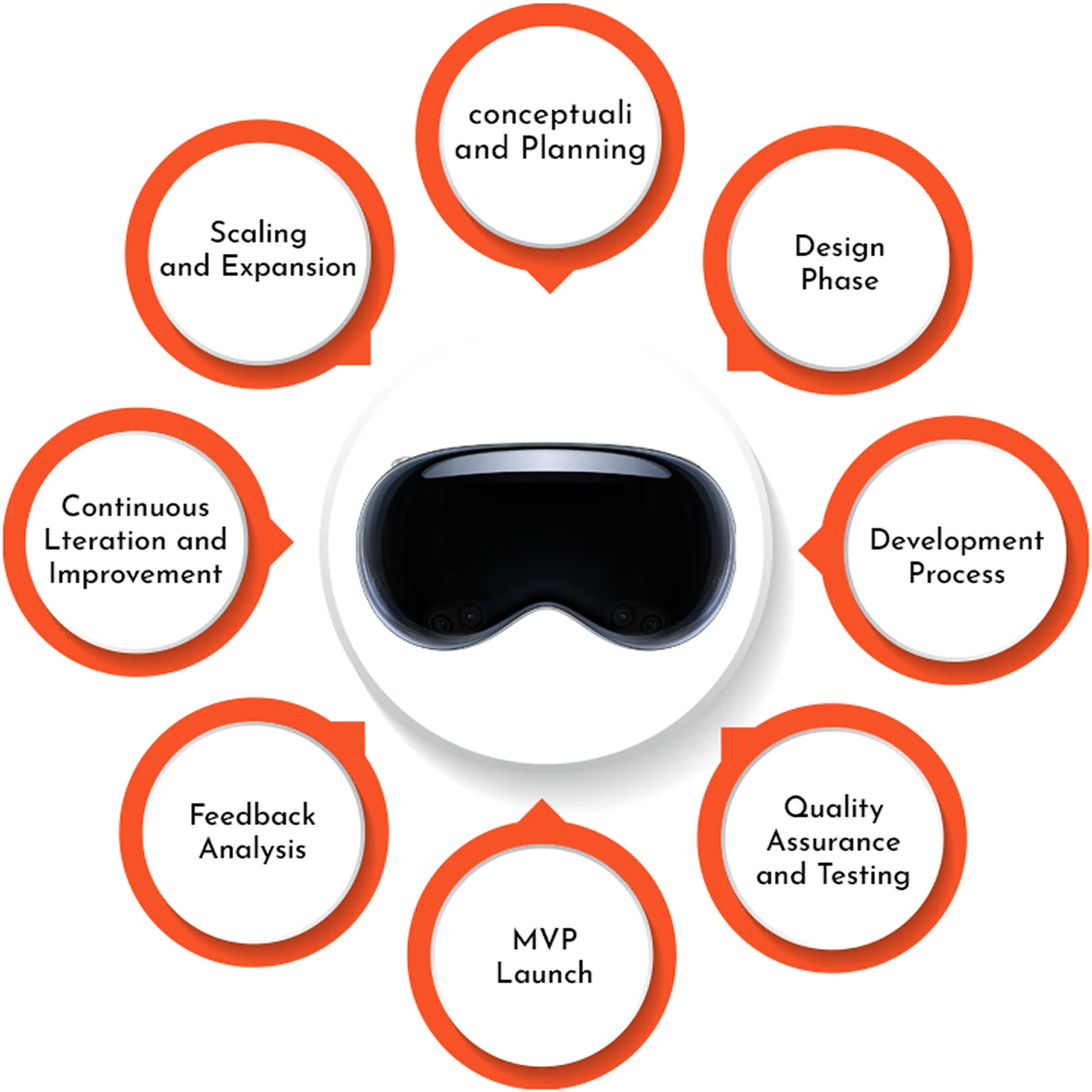
Whether you are porting an existing iOS app or building a spatial-first experience from scratch, the path to a shipping visionOS app follows a clear progression.

Define Your Spatial Strategy

Start by defining what spatial computing adds to your product. A flat app ported to a floating window is a valid first step — it runs immediately on Vision Pro. Then identify where 3D volumes, immersive spaces, or hand-tracking interactions create value your competitors cannot match on a phone or laptop. Apple’s Human Interface Guidelines for visionOS provide detailed spatial design patterns.

Leverage Apple's Developer Resources

Apple has published hundreds of WWDC sessions spanning three years of visionOS releases (WWDC23, WWDC24, and WWDC25), covering everything from introductory SwiftUI spatial layouts to advanced Compositor Services rendering. The developer documentation includes sample projects for windows, volumes, immersive spaces, SharePlay collaboration, enterprise workflows, and game development — providing working code you can adapt immediately.

Why Choose Webority for visionOS Development

At Webority Technologies, we combine deep Apple-platform expertise with spatial computing design thinking. Our visionOS development services cover the full lifecycle: spatial UX research, interaction design, SwiftUI and RealityKit engineering, 3D asset optimization, ARKit integration, App Store submission, and post-launch analytics. We have delivered spatial apps for enterprise training, product visualization, and immersive brand experiences.

Two years after Apple Vision Pro's debut, visionOS app development is no longer experimental — it is a proven platform with real tools, real users, and real enterprise ROI. The ecosystem will continue to expand as Apple iterates on hardware and software, and businesses that invest in spatial computing now will hold a significant first-mover advantage. Whether you are exploring visionOS for the first time or ready to scale an existing spatial app, Webority is here to help you build what comes next.

visionOS App Development visionOS App Development Company visionOS App Development services Company

Latest Blog Highlight

Trusted by Leading Brands & Growing Startups